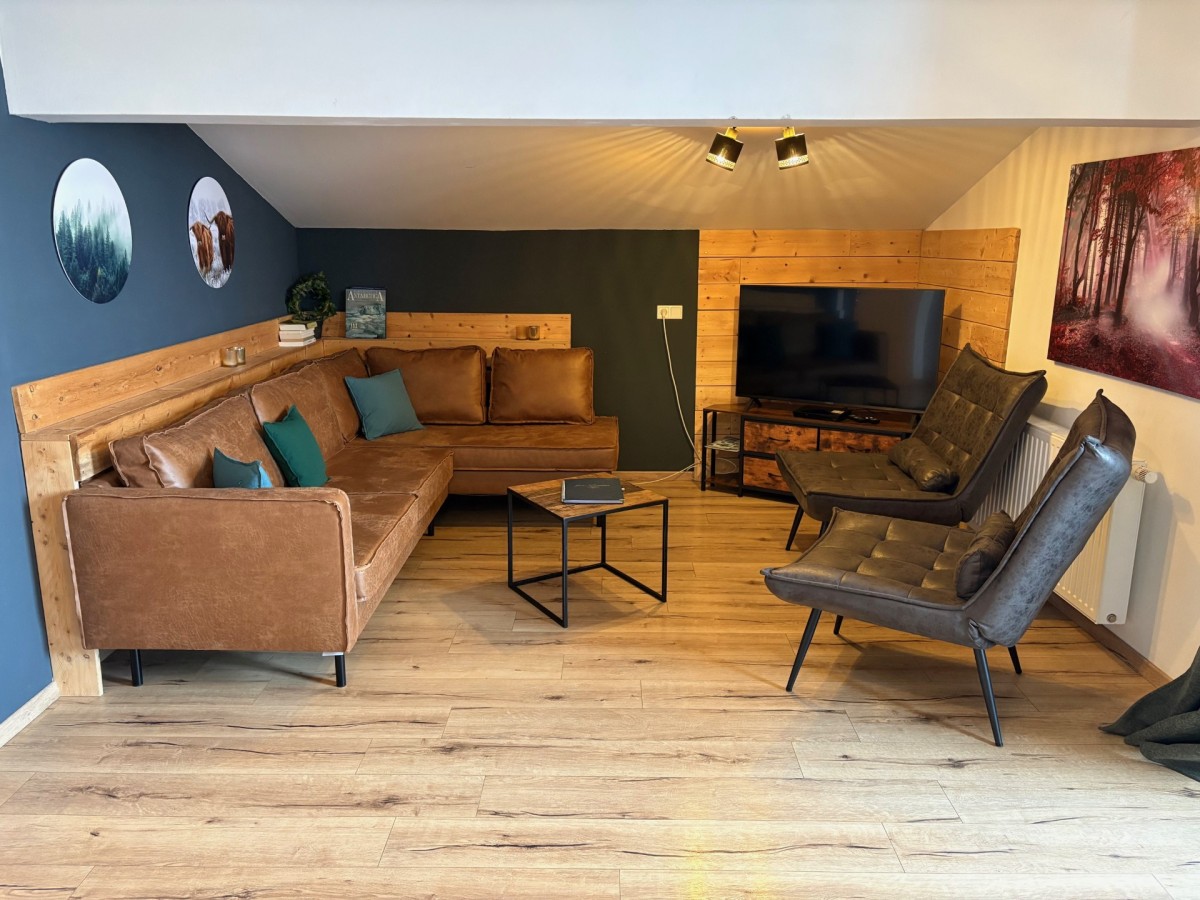
Witamy w tym stylowym i przestronnym apartamencie, idealnym na relaksujący wypoczynek z rodziną lub przyjaciółmi. Ten apartament wakacyjny jest przeznaczony dla maksymalnie 7 osób i znajduje się na parterze, z własnym wejściem i tarasem – idealny dla osób ceniących prywatność i komfort.
Apartament posiada trzy wygodne sypialnie, każda urządzona z dużym łóżkiem podwójnym i smart TV. W jednej z sypialni znajduje się dodatkowo pojedyncze łóżko, dzięki czemu apartament jest elastycznie przystosowany dla rodzin lub większych grup.
Do dyspozycji są dwie nowoczesne łazienki, z których jedna wyposażona jest w wannę, prysznic, toaletę i kabinę podczerwieni – idealne miejsce na relaks po aktywnym dniu.
Otwarta kuchnia wyposażona jest we wszystkie luksusowe udogodnienia, w tym zmywarkę, mikrofalówkę, piekarnik, lodówkę/zamrażarkę i maszynę do kawy Nespresso. Przyległa jest przytulna jadalnia z miejscami dla 7 osób, idealna na długie wieczory spędzone razem. Jasny salon posiada wygodny kącik wypoczynkowy z dużym smart TV.
W lecie goście mogą korzystać z bezpłatnego i nieograniczonego dostępu do zewnętrznego basenu w Piesendorfie, oddalonego zaledwie o 600 metrów, oraz bezpłatnego transportu publicznego w całym regionie Salzburgerland!
TEN APARTAMENT DLA 7 OSÓB OFERUJE:
Miejsce dla maksymalnie 7 osób
Własny taras
3 sypialnie z łóżkiem podwójnym
Łazienka z prysznicem i toaletą
Łazienka z wanną, prysznicem, toaletą i kabiną podczerwieni
Dodatkowa toaleta
4 smart TV
Zmywarka, lodówka/zamrażarka, mikrofalówka, piekarnik, ekspres do kawy (Nespresso)/czajnik. Bezpłatne Wi-Fi
TEN APARTAMENT DLA 7 OSÓB OFERUJE:
Miejsce dla maksymalnie 7 osób
Własny taras
3 sypialnie z łóżkiem podwójnym
Łazienka z prysznicem i toaletą
Łazienka z wanną, prysznicem, toaletą i kabiną podczerwieni
Dodatkowa toaleta
4 smart TV
Zmywarka, lodówka/zamrażarka, mikrofalówka, piekarnik, ekspres do kawy (Nespresso)/czajnik. Bezpłatne Wi-Fi